
Tasks
View, edit, and track tasks through their lifecycle in the UI.
The workspace has three surfaces: the Navigator on the left (task list and graph), the Detail panel in the middle (the selected task), and a Property rail on the right for the task's fields. The property rail is a third column on wide screens and a drawer on narrower ones. When no task is selected, the detail area shows an empty state.
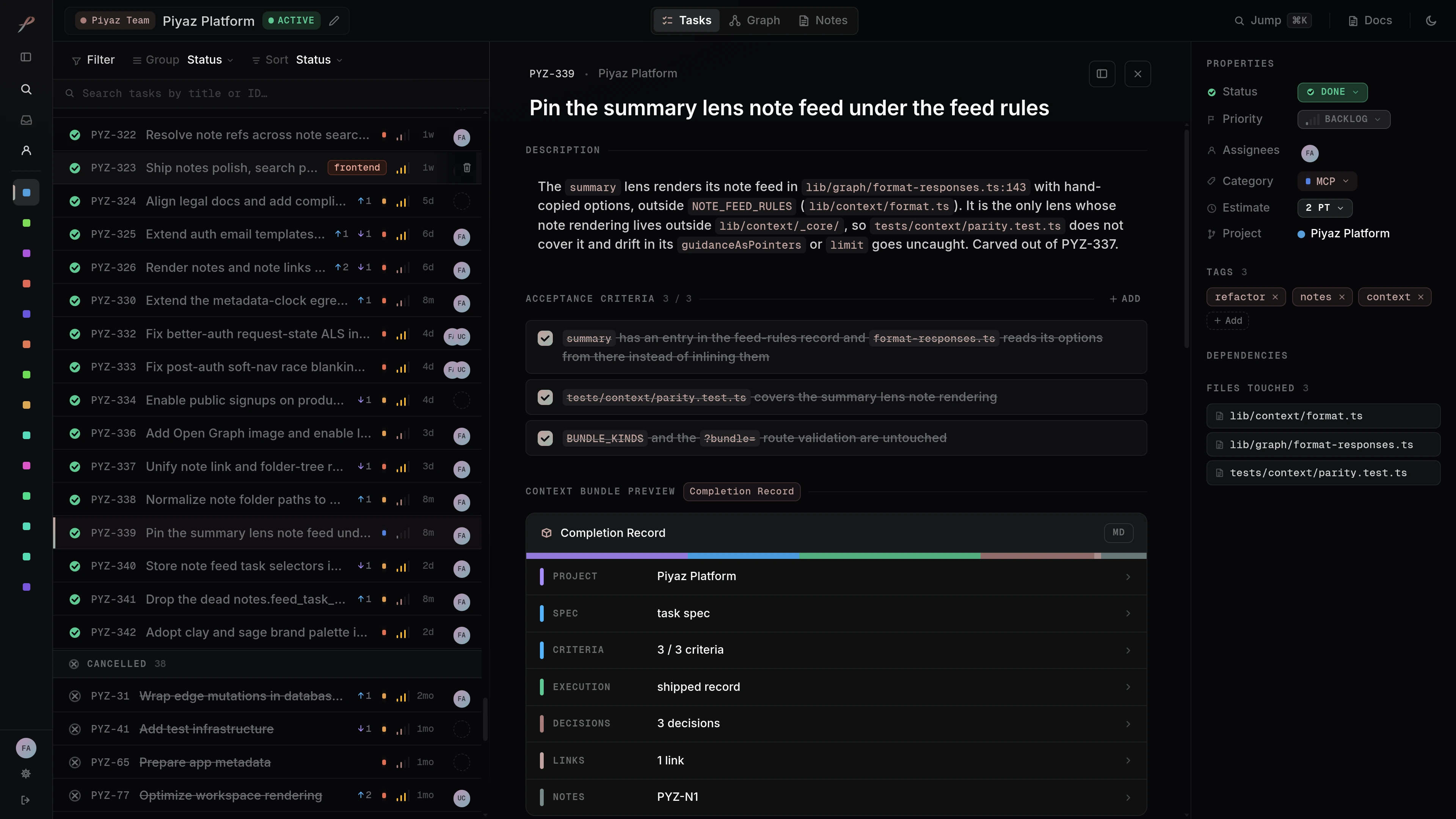
Navigator panel
The left panel shows tasks in two views, matching the Tasks and Graph tabs in the top bar.
Tasks view
A task list grouped by status by default. You can switch the grouping to category or turn grouping off. Each row is a single line showing a status glyph, the task id, dependency hints, a category dot, the title, the last-active time, the priority, and assignee avatars.
Graph view
An interactive force-directed graph. See Graph view for details.
Detail panel
Selecting a task opens the detail panel in the middle. It shows, top to bottom:
- Description, editable inline.
- Acceptance criteria, checkable items that define done.
- Context bundle preview: a preview of the context an agent receives for this task, with a badge for the current stage.
- Decisions: choices recorded with their rationale.
- Relationships: connected tasks with their edge types and notes.
- Links: attached links, such as the pull request.
- Linked notes: the notes that reference this task, each opening on the Notes surface.
- Execution record: the summary of what was built.
- Activity: the task's history.
The implementation plan is not a standalone section; it appears inside the context bundle preview.
Context bundle stages
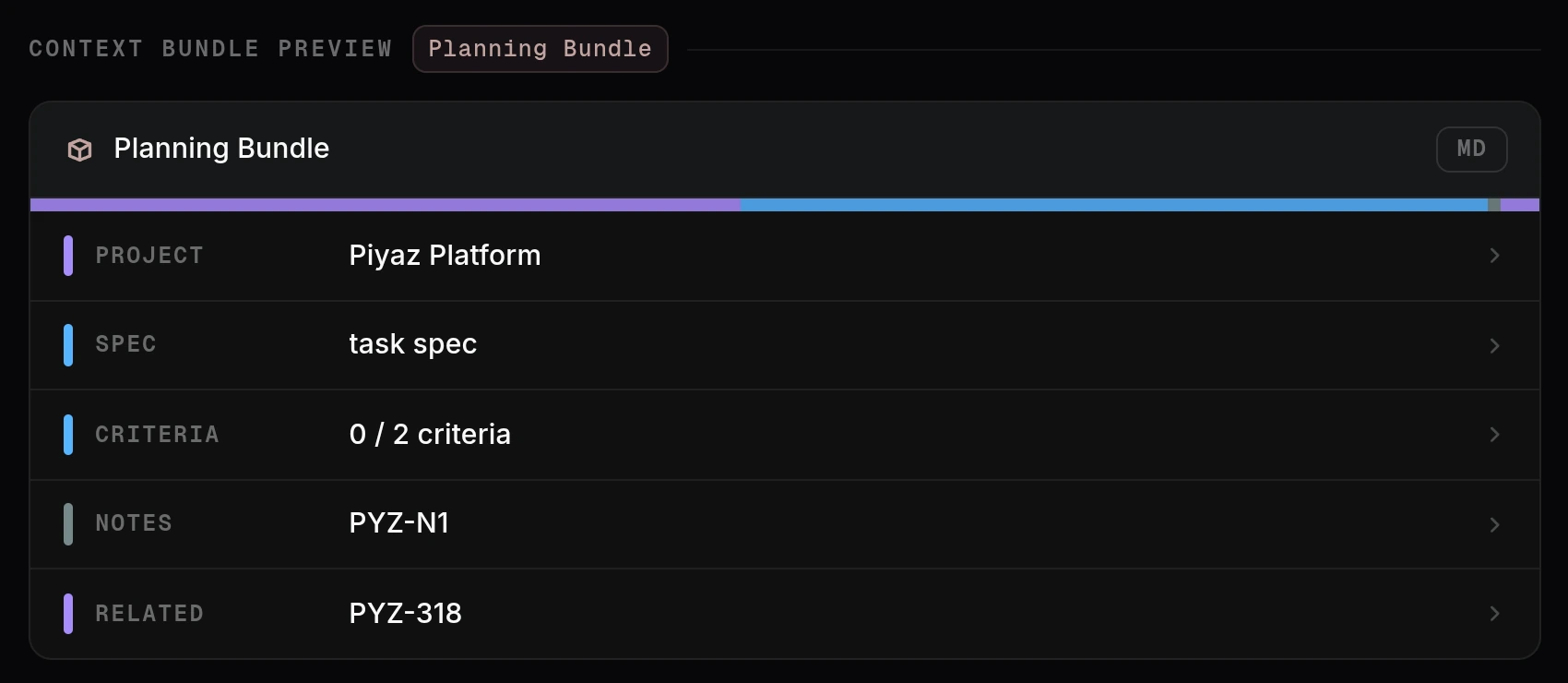
The badge on the preview follows the task through its lifecycle, and the bundle contents change with it. A draft with enough spec to plan carries the Planning Bundle, the context for writing the implementation plan:
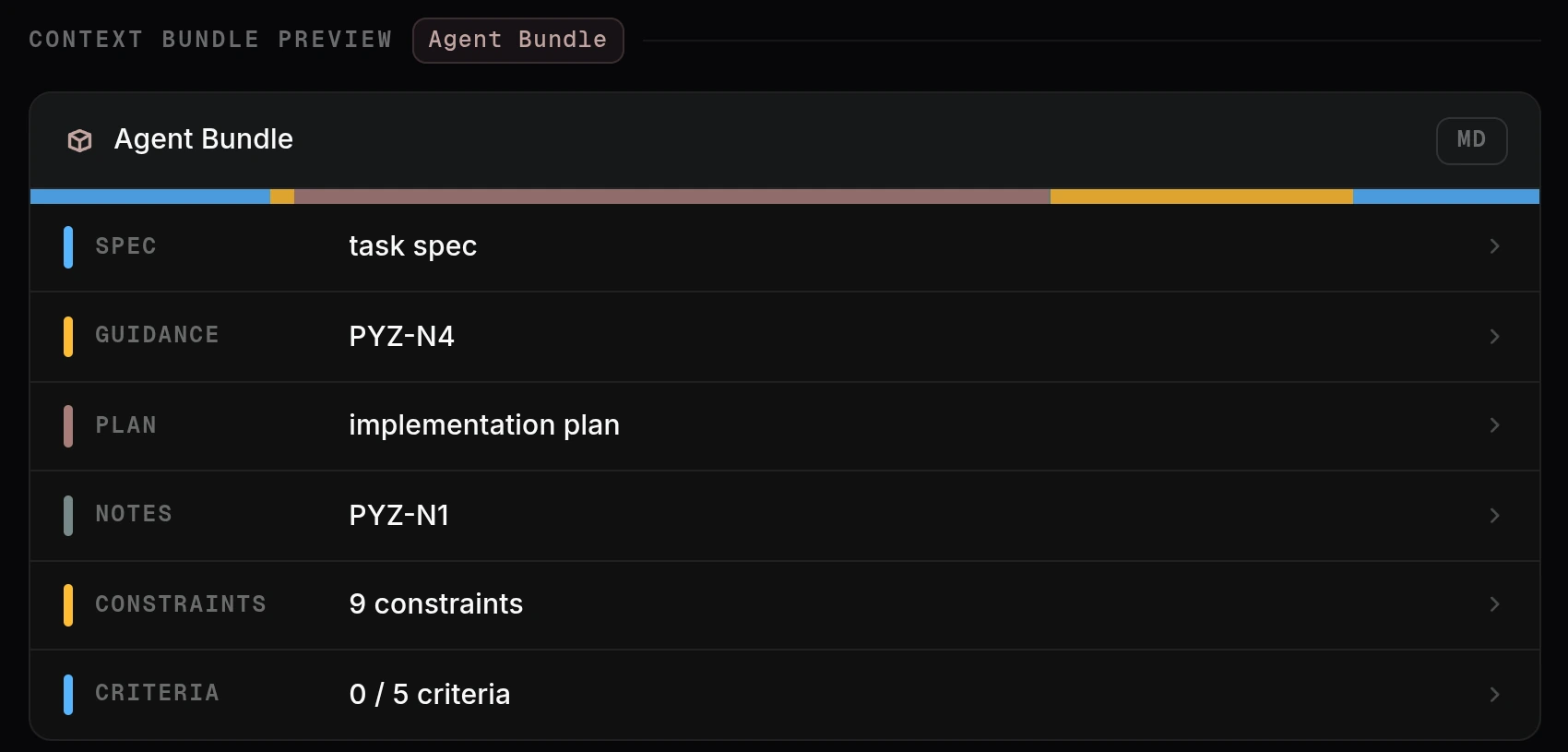
From planned through in progress, the task carries the Agent Bundle, what a coding agent reads before implementing: the spec, auto-fed guidance notes, the implementation plan, and constraints. See the context network for how these are assembled:
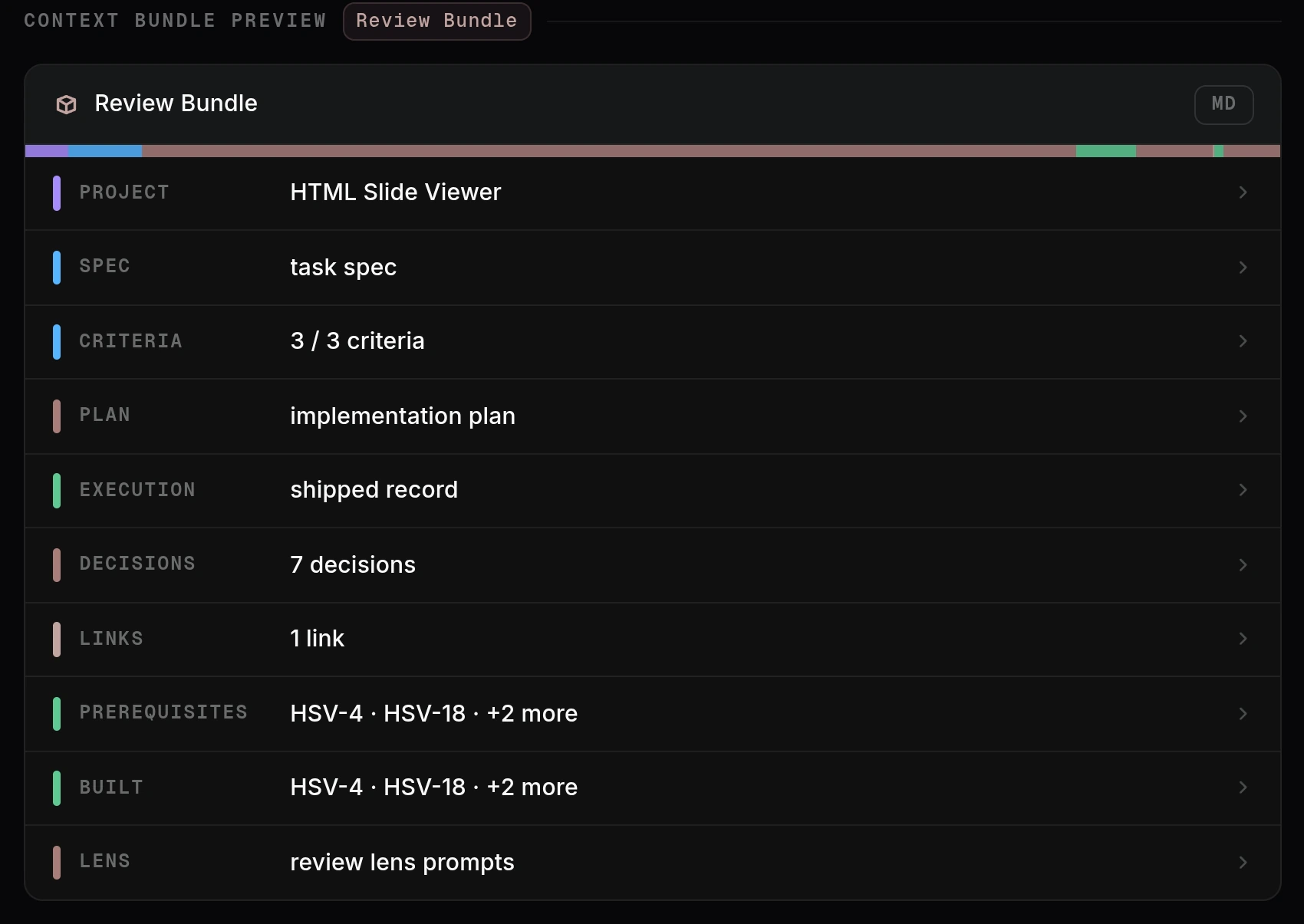
A task in review carries the Review Bundle: the implementation plan beside the execution record, the evaluated criteria, the pull request link, the prerequisites it built on, and the review lens prompts:
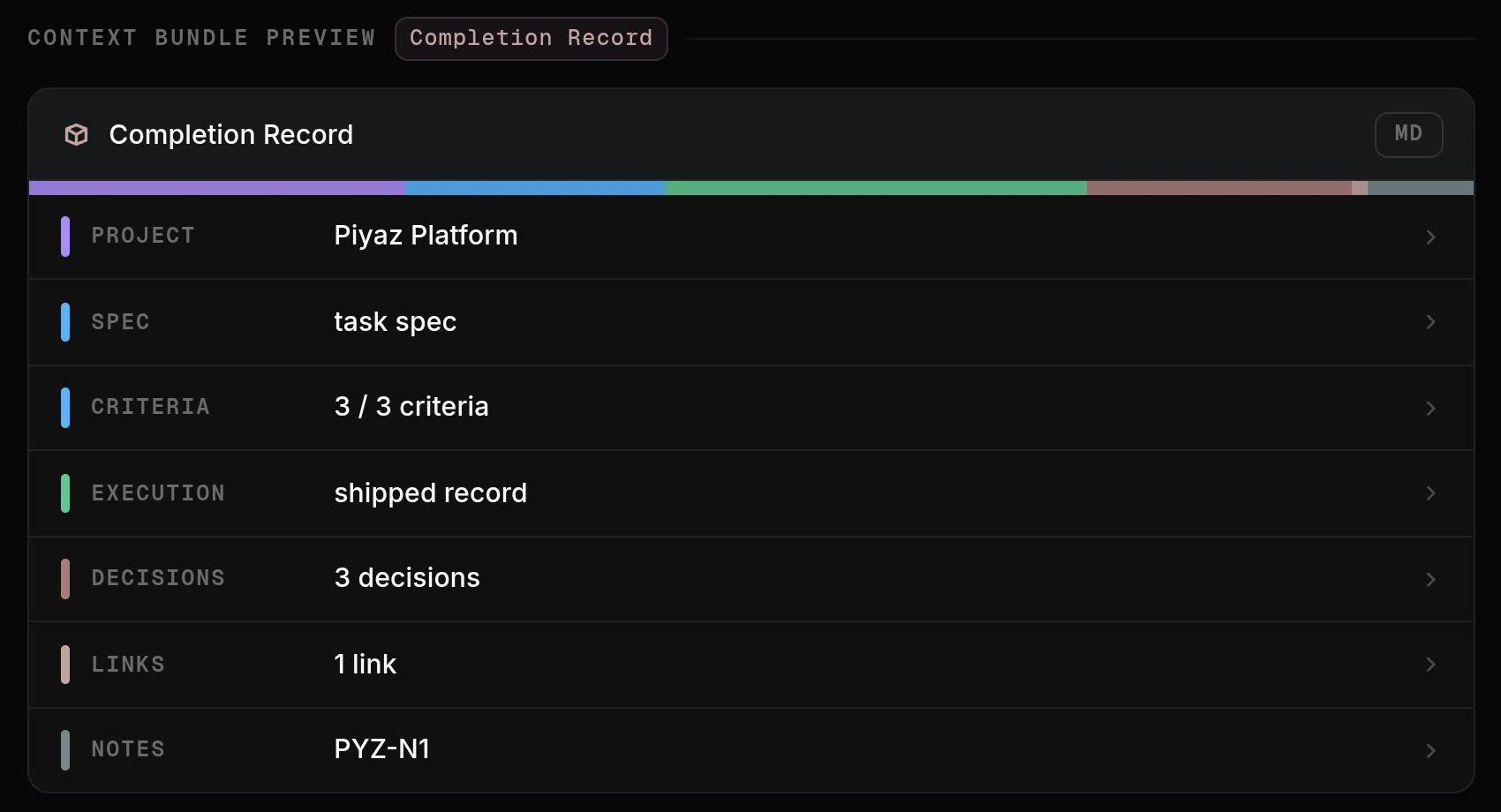
A finished task carries the Completion Record, the retrospective view: the checked criteria, the execution record, decisions, and links:
A bare draft with no spec yet shows a lighter Working Bundle, and a cancelled task shows a Cancellation Record.
Property rail
The right rail holds the task's structured fields: status, priority, estimate, assignees, category, tags, dependencies, and files. Some fields are read-only. Edits save automatically.
Task states
Beyond the lifecycle status (see Task lifecycle), Piyaz derives an actionable state that accounts for dependencies:
| State | Meaning |
|---|---|
| draft | Missing description or acceptance criteria. |
| plannable | Draft with enough spec to write a plan. Dependencies do not block it. |
| blocked | Has unfinished dependencies. Cannot proceed. |
| ready | Planned and all dependencies done. Can be implemented now. |
| in_progress | Claimed and being worked on. |
| in_review | Implemented and awaiting review. |
| done | Complete. |
| cancelled | Abandoned scope, kept for the record. |
The navigator shows these derived states so you can see what is actionable at a glance.
Last updated